Reports
Click Reports on the navigation bar
IMS-OS 2.0 Reports page is divided into five Main Categories:
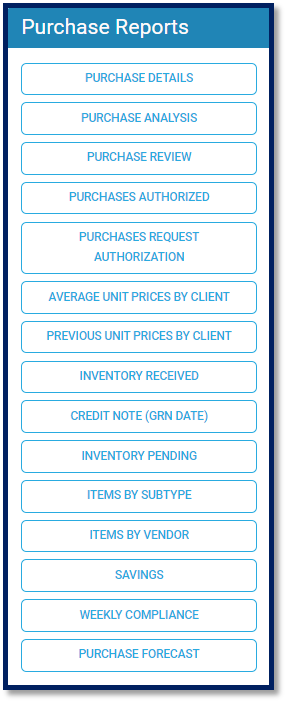
These reports are used to view and track how much money was spent for the period selected:
Purchase Details
Purchase Analysis
Purchase Review
Purchases Authorized
Purchases Request Authorization
Average Unit Prices by Client
Previous Unit Prices by Client
Inventory Received
Credit Notes (GRN Date)
Inventory Pending
Items by Subtype
Items by Vendor
Savings
Weekly Compliance
Purchase Forecast
Inventory Reports
These reports are used to view and track the movement of Inventory in select outlets based on period selected:
Item Transactions
Daily Storeroom Consumption
Item Default Locations
Item List By Date
Item Expirations
Internal Transfers
Locations to Cost Centers
Requisitions Pending
Requisitions From Locations to Cost Centers
Consolidated Stock
Daily Stock by Location
Daily Stock by Cost Center
Stock by Location
Stock by Cost Center
Stock on Hand Summary
Variance
Vendors
Moved Items
Requisition Forecast
Requisition Forecast by Sub-Type

Funds Reports
These reports are used to view and track the Funds used by departments based on the period selected:
Costing Summary
Department Purchases
Department Transactions
Distribution
Funds Delivered
Funds Held
Funds Other
Funds Rollover
Funds Summary
Funds Used

Cost of Sales Reports
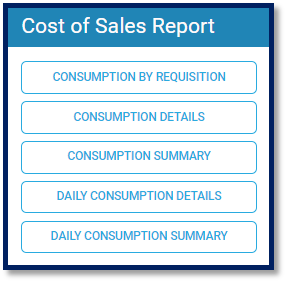
These reports are used to view and track the usage of Inventory based on the period select:
Consumption by Requisition
Consumption Details
Consumption Summary
Daily Consumption Details
Daily Consumption Summary
Audit Reports
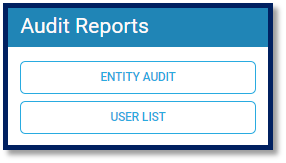
These reports are used to view activity on Users and audit system quantities:
Entity Audit
User List
Note: All Reports mentioned above may not be available to you due to the package purchased.